Choose Your Platform
The six6 app is available on both Android and iOS. Choose the right version for your device.
Why Download the six6 App?
Many people assume a mobile browser is enough for gaming sites — and that's fair. But once you try the six6 dedicated app, you'll notice the difference yourself. It loads much faster than a browser, delivers notifications directly to your phone, and renders game graphics more smoothly.
Internet connectivity in Bangladesh can vary. The six6 app is built with data optimization in mind, so it runs smoothly even on lower bandwidth. On low-latency connections, Live Casino sessions are virtually lag- and freeze-free.
Staying logged in to the six6 app also means you won't need to sign in again each time. Deposits, withdrawals, and claiming bonuses — everything is handled in one place. With push notifications enabled, you'll be instantly notified of new bonus offers and tournaments.
Note: The six6 app is completely free to download. There are no charges for downloading or installing.

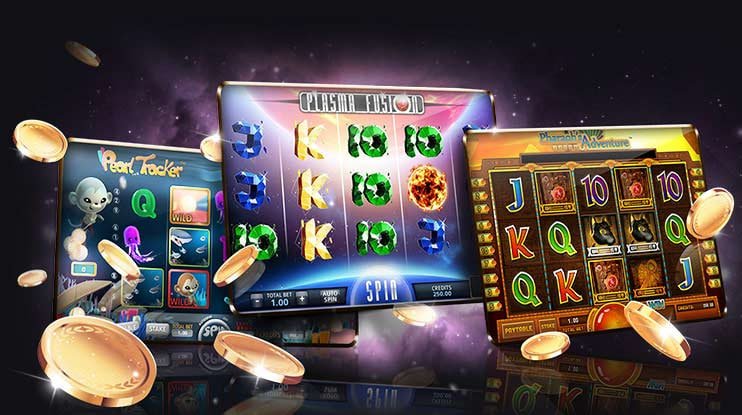
Enjoy slots and Live Casino all in one place on the six6 app
Steps to Install six6 on Android
Even though six6 isn't available directly on the Google Play Store, you can easily install it via APK file. Just follow the steps below.
1
Allow Unknown Sources
Go to your phone's Settings → Security or Privacy → Unknown Sources or Install Unknown Apps and enable the option. You only need to do this once.
2
Download the APK File
Download the Android APK file from the official six6 site. The file is typically saved to your Downloads folder.
3
Open File Manager
Open your phone's File Manager or My Files app and go to the Downloads folder. Locate the six6 APK file.
4
Install
Tap the APK file and press the "Install" button. Once installation is complete, tap "Open" to launch the app.
5
Log In or Register
Once the app is open, log in to your six6 account. If you're new, registration takes just a few minutes.
6
Start Playing
Once logged in, you can access slots, Live Casino, betting, and more — all from within the app.
Warning: Always download the APK from the official six6 website. Files from third-party sources may pose security risks.
Install the six6 Android app and enjoy mobile gaming
How to Install six6 on iOS
Six6 has a dedicated iOS version for iPhone and iPad users. Installing on an Apple device is a slightly different process, but it's straightforward.
Add as Web App
IOS users can add the six6 site directly to their home screen from Safari. This is a PWA (Progressive Web App) method that works just like a native app.
- Open the six6 site in Safari
- Tap the Share icon at the bottom (the box with an arrow pointing up)
- Select "Add to Home Screen"
- Keep the name as is and tap "Add"
- The six6 icon will appear on your home screen — tap it to launch directly
Native iOS App
To get the native iOS app, log in to the official six6 site and look for the iOS download link in the profile section. A guide for TestFlight or direct IPA installation is available there.
For any issues on iOS, six6 live chat support is ready to help right away. Support is also available in Bengali, so there's no language barrier.
System Requirements Comparison
The table below outlines the system requirements for the six6 app on both Android and iOS platforms:
| Features |
Android |
iOS |
| Minimum OS Version |
Android 6.0 |
IOS 13.0 |
| RAM Required |
2 GB or more |
2 GB or more |
| Storage Space |
~50 MB |
~60 MB |
| Internet |
3G/4G/WiFi |
3G/4G/WiFi |
| Installation Method |
APK File |
PWA / TestFlight |
| Auto Update |
Available |
Available |
| Push Notifications |
Available |
Available |
| Fingerprint Login |
Available |
Available |
| Dark Mode |
Available |
Available |

A Safe and Fast Gaming Experience on the six6 App
Key Features of the six6 App
Six6 is more than just a place to play — it's designed as a complete gaming hub. Here's a quick look at what's available:
Fast & Smooth Performance
Built with native code, the six6 app loads much faster than a browser. No mid-game page reloads or session timeouts to worry about. Even Live Casino games and high-graphic slots run smoothly on mobile.
Real-Time Notifications
Get advance notifications for new bonus offers, free spins, and upcoming tournaments — delivered straight to your phone. Never miss a deal. six6 ensures all notifications reach you right on time.
Biometric Login
No more typing your password every time. Log in instantly using your fingerprint or Face ID — secure, fast, and done in a second.
Easy Deposits & Withdrawals
You can deposit and withdraw directly through the app using popular Bangladeshi payment gateways — Mobile Banking, Nagad, and Rocket. To learn more about withdrawals, Withdraw View the page.
24/7 Live Support
You can reach the six6 support team via live chat directly from within the app. With Bengali language support available, any issue can be resolved quickly.
Security: The six6 app uses SSL encryption, keeping your personal information and payment data fully secure.
App Updates & Version Management
Six6 regularly updates its app, with each update bringing new games, performance improvements, and security patches. Missing an update may cause some new features to stop working, so it's best to always stay on the latest version.
Android users receive automatic update notifications when they open the app. iOS users always get the latest version through the home screen web app, as it loads directly from the server.
To upgrade from an older version, simply download and install the new APK file — your account data and balance will remain fully intact.